How Customer Support Teams Should Evaluate WhatsApp Business API Platforms for Notifications
Your WhatsApp notification pipeline breaks at 2 a.m., and nobody notices until customers complain. Support teams often pick a Business API platform on per-message pricing alone, then discover template rejections and quality rating drops quietly throttle delivery. Choosing wrong means missed order updates and refund alerts. For the longer version of this comparison, see Whatsapp Business API.
This article gives you the criteria that actually matter for notification use cases: delivery reliability at scale, template management, official Meta partnership, pricing transparency, and automation depth. You will also get a scoring framework and pilot plan to compare platforms, including how Com.bot measures up.
Why Notification Delivery Is a Different Evaluation Problem
Evaluating a platform for notification delivery requires a different lens than choosing one for conversational support, because the success metrics, failure modes, and compliance obligations are fundamentally distinct. A support inbox lives or dies by agent efficiency, queue management, and how quickly a human can resolve a question. A notification pipeline lives or dies by whether thousands of messages leave the system and arrive intact, on time, every time.
Notification traffic is one-way, high-volume, and time-sensitive. Order confirmations, shipping updates, appointment reminders, and authentication codes all share the same trait: the customer is not waiting to chat. They are waiting for a specific piece of information that either arrives or does not. There is no agent to smooth over a late delivery.
Conversational support is the opposite. It is two-way, interactive, and bound to the 24-hour customer service window, where session messages flow freely once a user writes in. Success there is measured in first response time and resolution rate, not in messages per second.
This split matters because the two workloads stress different parts of a platform. A tool tuned for agent handoffs and shared inboxes may have no serious queueing layer for bulk sends. A tool built for broadcast throughput may offer thin template governance, weak opt-in tracking, or limited visibility into why a message failed.
Compliance obligations diverge too. Notifications lean heavily on pre-approved template messages, strict category rules, and documented user consent. Support chats can be more freeform once a session opens. A platform that treats those two regimes as interchangeable will eventually create problems in one of them.
The rest of this guide focuses on the notification side of that divide. The goal is to give customer support teams a framework for judging WhatsApp Business API platforms on reliability, throughput, template control, and the operational signals that reveal whether a provider can actually carry transactional volume at scale.
Delivery Reliability and Throughput at Scale
When your business sends thousands of notifications per hour, delivery reliability and throughput become the primary technical hurdles, directly impacting customer experience and operational costs. Three metrics anchor any serious platform evaluation, and they should be requested as concrete commitments rather than marketing language.
- Delivery rate: the percentage of submitted messages that reach the handset.
- Latency: the time between your send request and confirmed delivery.
- Throughput: how many messages per second the platform can sustain without degradation.
Meta applies rate limits and messaging limits tied to your phone number's quality rating and verification status. A capable WhatsApp Business Solution Provider manages this with intelligent queueing, backoff, and retry logic rather than hammering the API and collecting errors. Top-tier BSPs are generally expected to reach high delivery rates and sustain substantial throughput, though you should verify claims against your own volume profile.
Visibility is what separates a managed pipeline from a black box. Delivery receipts and read receipts, surfaced through message status webhooks, let your team watch a send in real time and catch degradation before customers notice. Without those signals, a carrier issue or a spike in failures stays invisible until complaints arrive.
Failure scenarios are predictable and should be planned for. A carrier outage can stall a region. A template rejection can block an entire campaign mid-send. A number flagged for low quality can see limits cut. Ask providers how they handle each case, particularly whether they offer fallback mechanisms, automatic re-queuing, and clear alerting when delivery rates dip below a threshold you define.
Template Management and Message Quality Ratings
WhatsApp's template system is the backbone of notification delivery, and a platform's ability to manage templates efficiently, while maintaining high quality ratings, can make or break your messaging strategy. Every outbound notification must fit an approved category, and the category shapes both cost and risk.
- Utility messages: transactional updates such as order or shipping confirmations.
- Authentication messages: one-time codes and verification steps.
- Marketing messages: promotions, which carry the highest scrutiny and the most opt-out risk.
Approval is only the first gate. Quality ratings are driven by how users respond, including blocks and reports. A template that generates complaints can be paused, and a number with a falling rating faces reduced messaging limits. This is why generic promotional copy sent through a notification channel tends to backfire.
Compare the outcomes. "Your order #123 has shipped, track it here" tells the customer something they asked for. A vague promotional blast dressed as an update invites blocks. Personalization, correct timing, and honest categorization all reduce the chance of negative feedback.
Platforms should be judged on what they offer around templates: creation and submission workflows, approval tracking so you know what is pending or rejected, and performance analytics that show delivery, read, and block rates per template. Without that reporting, teams cannot tell which notification templates are helping and which are quietly eroding the sender reputation of the number.
The Evaluation Criteria That Actually Matter
Not all evaluation criteria carry equal weight when selecting a notification delivery platform; focusing on the following three areas will separate robust solutions from inadequate ones. Customer support teams often get distracted by dashboard design or minor feature lists while overlooking the factors that determine whether messages actually arrive.
First, official Meta partnership and compliance status directly affects deliverability. Without it, you risk account bans, message filtering, and throttled throughput that no amount of good design can fix.
Second, pricing transparency determines cost predictability. When a platform bundles Meta's conversation-based pricing with opaque markups, forecasting your monthly spend becomes guesswork.
Third, automation depth shapes operational efficiency. A platform that lacks solid API endpoints and webhooks leaves your team manually triggering order updates and alerts, which slows response times and invites errors.
These three criteria map to the outcomes support teams care about most: reliable notification delivery, controlled spending, and less manual work. The subsections that follow break down each one, including what to verify, what to ask vendors, and where hidden problems tend to surface.
Official Meta Partnership and Compliance Status
Working with an official Meta Business Partner or a certified BSP is non-negotiable for reliable notification delivery, as it ensures compliance, higher rate limits, and direct support. The WhatsApp Business API is not something a company can access directly without going through an approved route.
There are three broad categories of providers. Official BSPs hold direct partnerships with Meta and appear in Meta's partner directory. Solution providers typically build on top of a BSP's infrastructure, which can work well but adds a layer between you and Meta. Unofficial providers rely on workarounds, and they put your sender reputation and account at serious risk.
The risks of unofficial routes are concrete:
- Sudden account suspension with little warning or recourse
- Message filtering that silently reduces deliverability
- No access to Meta support when problems arise
- Unreliable throughput that breaks time-sensitive notifications
Compliance also involves verification steps you should expect to complete. Business verification confirms your company's legal identity. Phone number verification ties the sending number to your business. Display name approval ensures customers see a recognizable sender, which supports trust and engagement.
Before committing, run a short checklist. Confirm the provider's status in Meta's partner directory. Ask for their Meta Partner ID. Verify they offer direct API access rather than routing through a third party. Official partners often receive priority support and higher throughput limits, which matters when you send high volumes of notification templates.
Pricing Transparency: Per-Conversation Fees vs. Platform Markups
Understanding the true cost of notification delivery requires dissecting the pricing model: are you paying Meta's conversation-based fees plus a transparent platform fee, or are there hidden markups? Meta charges per 24-hour conversation window, and rates differ by category.
Utility messages, such as order updates and delivery alerts, usually carry lower rates. Authentication messages for one-time passcodes sit in their own tier. Marketing messages typically cost the most, while service conversations opened by the customer often fall under different terms. A platform that blurs these categories in its billing makes it hard to see where your money goes.
Ask every vendor for a detailed pricing sheet covering:
- Per-conversation rates for each message category
- Platform subscription or per-message markup fees
- Extra charges for additional team members, channels, or numbers
- Any fees tied to template messages or notification templates
Consider a practical example. If you send 10,000 utility notifications per month and your provider adds even a small markup per message, the annual difference can be significant. Run that math against each vendor's sheet rather than comparing headline rates alone.
Be wary of platforms that bundle costs opaquely or quote a single blended figure. If a vendor cannot explain how Meta's conversation-based pricing flows through to your invoice, that is a red flag. Where your volume is predictable, it is reasonable to ask about volume discounts, though terms vary by provider.
Automation Depth for Order Updates and Alerts
Automation depth determines how seamlessly you can trigger notifications from your backend systems, reducing manual effort and ensuring timely delivery. The core building blocks are straightforward to evaluate.
API endpoints let your systems send template messages programmatically. Webhooks let you receive delivery receipts, read receipts, and message status updates so your team knows what happened after a send. No-code or low-code builders allow non-technical staff to set up flows without engineering tickets.
Integration matters just as much as raw capability. If you run an ecommerce store on Shopify or WooCommerce, or manage customers in a CRM, the platform should support triggering notifications from those systems. Two common examples show why this matters:
- When an order ships, a WhatsApp notification with the tracking link goes out automatically
- When a payment fails, an alert reaches the customer before they contact support
Evaluate platforms on their API documentation quality, SDK availability, and support for batch processing. Batch handling is especially relevant for high-volume sends like daily shipment summaries or scheduled reminders.
Deep automation also supports opt-in management and user consent tracking, which keeps your notification program compliant as it scales. Combined with solid delivery receipts and message status visibility, it gives support teams a clear picture of what customers actually received. The result is fewer manual errors, faster deployment, and a notification pipeline that holds up as volume grows.
Integration and Workflow Fit for Support Teams
For customer support teams, a notification platform must fit into existing workflows, not create new silos; integration capabilities and unified handling are paramount. A WhatsApp Business API platform that sits apart from your helpdesk forces agents to copy details between tools, which slows response times and invites errors.
Notifications rarely end at delivery. A customer who receives an order update or appointment reminder often replies with a question, so the platform must carry that reply into a conversation your team can actually manage. If the notification tool and the support tool are separate systems, that handoff breaks.
When evaluating platforms, ask how they handle the full arc: sending a template message, receiving a reply, routing it to the right agent, and logging the outcome. A platform that only sends messages solves half the problem.
The two subsections below cover the areas that matter most during platform evaluation: unified inbox handling across channels, and the depth of CRM, helpdesk, and ecommerce integrations.
Unified Inbox and Multi-Channel Handling
A unified inbox consolidates messages from WhatsApp, Facebook Messenger, Instagram, and web chat into a single interface, enabling support agents to respond quickly and maintain context. Instead of switching between apps, an agent sees every conversation in one queue.
This matters for notification delivery because replies arrive on whatever channel the customer prefers. A customer might get a WhatsApp notification, then follow up on Instagram. A unified view keeps that history connected rather than fragmented.
Look for these features when comparing platforms:
- Assignment rules that route conversations by topic, language, or agent availability
- Collision detection so two agents do not reply to the same customer at once
- Canned responses for common questions about orders, deliveries, or account issues
- Full chat history visible alongside the current thread
The 24-hour customer service window shapes how notifications work. Once a customer replies to a notification, the exchange becomes a session, and agents can send free-form replies for 24 hours. Outside that window, the business must use approved template messages again. Platforms that surface this window clearly help agents avoid rejected sends.
Finally, test how a platform behaves under load. High volumes of notifications and replies should not cause lag, and multiple agents should work the same queue without conflicts. Ask vendors how their system handles throughput and rate limits during peak periods.
CRM, Helpdesk, and Ecommerce Integrations
Out-of-the-box integrations with CRMs, helpdesks, and ecommerce platforms can drastically reduce implementation time and ensure data consistency across systems. Common targets include Salesforce, HubSpot, Zendesk, Freshdesk, Shopify, WooCommerce, and Magento.
These connections let customer data, order status, and ticket records sync automatically. An agent viewing a WhatsApp thread can see the customer's recent orders, open tickets, and account details without leaving the conversation.
Practical examples show why this matters:
- A new order in Shopify triggers a WhatsApp notification, and the order status stays linked to the chat
- A support ticket in Zendesk updates the customer record, so the next agent sees the full history
- A CRM contact's details populate the inbox view, giving context before the agent replies
During platform evaluation, check whether integrations are native or require custom development through APIs. Native connectors and pre-built marketplace options cut setup effort and reduce long-term maintenance. Custom API work can be worthwhile for unusual stacks, but it adds cost and depends on engineering resources.
Also confirm how each integration handles webhooks and delivery receipts, since reliable status updates keep records accurate across systems. A platform with a strong connector library and clear API documentation will fit your support workflow far better than one that leaves every connection as a bespoke project.
Security, Data Handling, and Enterprise Requirements
Enterprises must scrutinize security and data handling practices, as notification platforms process sensitive customer information and must comply with regulations like GDPR and HIPAA. A WhatsApp Business API platform sits between your internal systems and Meta's infrastructure, which means it touches phone numbers, message content, delivery metadata, and opt-in records.
For customer support teams, the evaluation is not just a technical checkbox. It is a risk decision that affects legal exposure, customer trust, and the reliability of notification delivery at scale.
Start by confirming how the platform protects data in three states: in transit, at rest, and in use. Meta requires encryption for messages traveling over the WhatsApp Business API, but the provider's own handling of stored data, logs, and backups is where differences appear. Ask specifically whether message content is encrypted at rest and who holds the keys.
Access control matters just as much. Role-based access control (RBAC) ensures that a support agent handling notification templates cannot view billing settings or export customer data. Single sign-on (SSO) ties platform access to your existing identity provider, so departing employees lose access immediately.
Audit logs complete the picture. You want a record of who sent which template, who changed an opt-in setting, and who accessed message history. Without logs, investigating a data incident or a compliance complaint becomes guesswork.
Compliance requirements vary by industry and region, so map the platform against your actual obligations:
- GDPR: lawful basis for processing, data subject access and deletion requests, and clear retention limits.
- CCPA: disclosure of data collection practices and the ability to honor consumer deletion requests.
- HIPAA: a signed business associate agreement and safeguards for any protected health information sent through notifications.
- Data residency: options to store and process data in a specific region or country.
Data residency deserves particular attention for organizations operating across borders. A platform that lets you pin storage to a chosen region simplifies compliance with local data protection laws and reduces the number of jurisdictions involved in a breach.
Before signing, request documentation and verify it rather than accepting marketing claims. A practical checklist includes:
- A current SOC 2 report, ideally Type II, covering security and availability controls.
- Recent penetration test results or a summary letter from an independent tester.
- A data processing agreement (DPA) that defines roles, retention, and breach notification timelines.
- Written confirmation of encryption standards for data at rest and in transit.
- Documentation of RBAC roles, SSO support, and audit log retention periods.
Some platforms go further and offer on-premise or private cloud deployments for organizations with strict requirements. These options can suit regulated industries, though they often trade convenience for control and may shift more operational responsibility onto your team.
Finally, connect security to notification operations. Opt-in management, user consent records, and phone number verification all feed into sender reputation and quality rating. Weak consent handling can lower your quality rating, which in turn affects messaging limits and throughput. Security and deliverability are not separate conversations.
How Com.bot Measures Up Against These Criteria
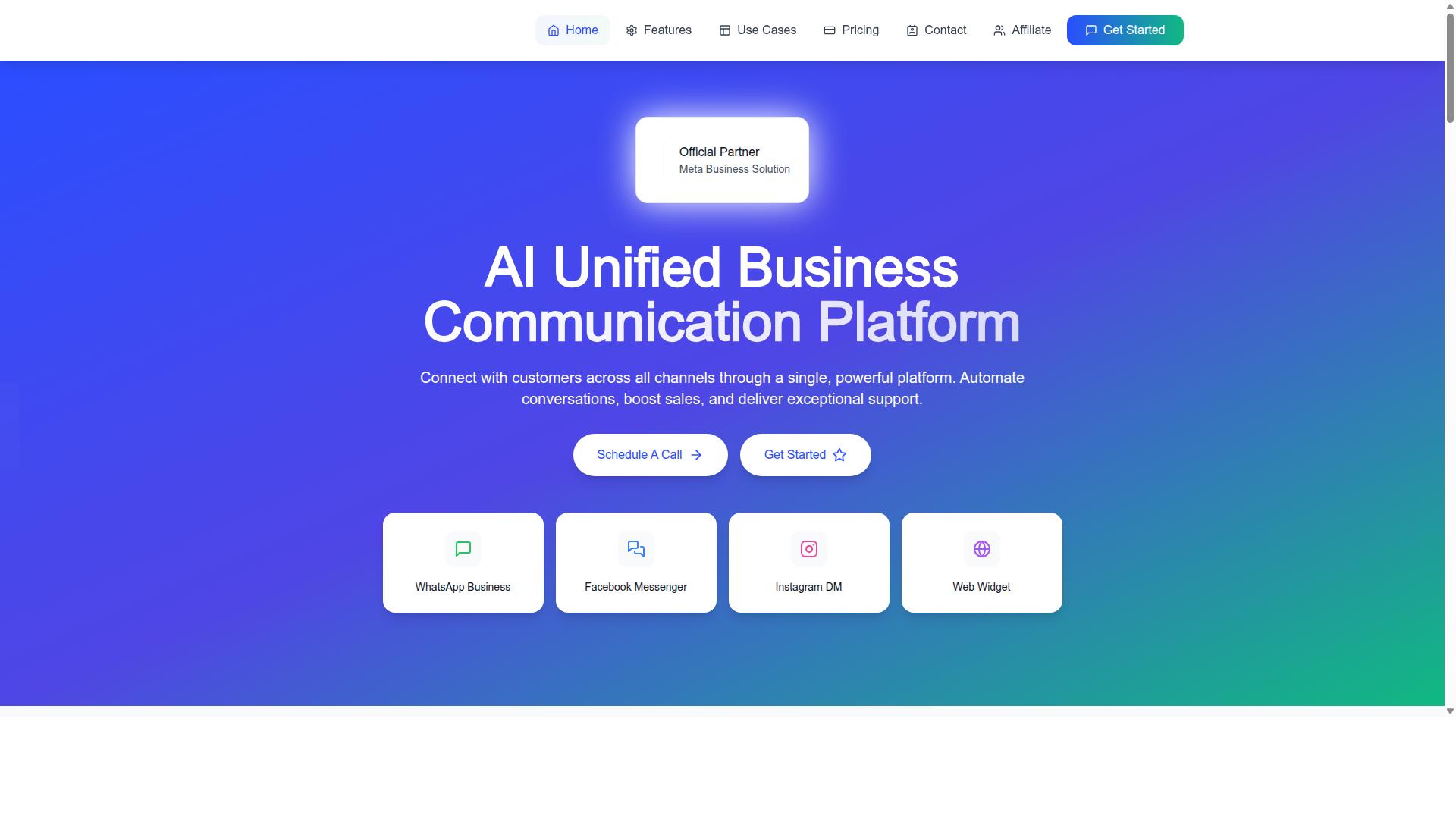
Having established the evaluation criteria, let's examine how Com.bot performs as a notification delivery platform, focusing on its capabilities, pricing, and global reach. Com.bot is an AI Unified Business Communication Platform that connects WhatsApp Business, Facebook Messenger, Instagram DM, and Web Widget through a single interface. It is owned and managed by Com Bot AI Limited.
This section assesses Com.bot against the criteria that matter most to customer support teams: delivery reliability, template management, pricing transparency, automation, integrations, and security. These are the same standards a team would apply to any WhatsApp Business Solution Provider under consideration.
Com.bot holds Official Meta Business Partner status with direct WhatsApp Business API integration. That matters because direct integration affects how notification templates are submitted, how sender quality is tracked, and how quickly delivery issues surface.
The platform also supports automation of conversations, sales, and support delivery, which ties directly to the workflow and integration criteria. The subsection below examines the specific notification features, plan pricing, and geographic coverage that determine whether Com.bot fits a given support team's requirements.
Notification Capabilities, Pricing Plans, and Global Coverage
Com.bot's notification capabilities are built on its official Meta partnership, processing over 25 million messages per day with enterprise-grade security and a transparent pricing structure. For support teams sending utility messages, authentication messages, and other notification templates, that volume handling speaks to throughput and reliability at scale.
Template management and quality rating tools are part of the platform, which matters because sender reputation and messaging limits are tied directly to template quality. Teams can manage notification templates alongside the other channels connected through the unified platform.
Pricing is structured across three quarterly plans:
- Silver: $149 per quarter
- Gold: $349 per quarter (recommended)
- Platinum V1: $2500 per quarter
Add-ons are available at $10 per month for an additional team member, social channel, external actions (per 5000), bot triggers (per 25000), and ecom store. WhatsApp messaging is billed at actual Meta rates with no markup, which supports the pricing transparency criterion.
Com.bot serves 50+ countries, giving support teams global coverage for cross-border notification delivery. Its track record includes 23,000+ active customers, 100+ government bodies, 500+ global partners, and 100K+ bots created. Enterprise security is backed by end-to-end encryption.
Taken together, these facts address each evaluation criterion: delivery reliability through daily message volume, template management through quality rating tools, pricing transparency through Meta-rate billing, automation through conversation handling, integrations through multi-channel connectivity, and security through encryption.
Building a Scoring Framework and Running a Pilot
To make an informed decision, create a weighted scoring framework and run a pilot with your top two or three platforms, measuring real-world performance against your specific notification use cases. This two-part approach keeps platform evaluation grounded in evidence rather than sales presentations.
The framework turns scattered opinions into a single comparable number. The pilot then confirms whether that number holds up when actual notification templates, opt-in lists, and delivery receipts are involved.
Involve stakeholders from IT, support, and finance before scoring begins. IT understands throughput, rate limits, and webhook reliability. Support agents know which message status updates matter during a shift. Finance owns the API pricing model question, whether conversation-based pricing or per-message billing fits your volumes.
Step 1: Define criteria weights. A practical starting split for notification-focused teams looks like this:
| Criterion | Suggested Weight | What It Covers |
|---|---|---|
| Delivery reliability | 30% | Delivery rate, delivery receipts, sender reputation, quality rating |
| Pricing | 25% | API pricing model, utility and authentication message rates, per-message billing |
| Automation | 20% | Template messages, notification templates, trigger logic |
| Integrations | 15% | Helpdesk, CRM, and webhook compatibility |
| Security | 10% | Data handling, access controls, compliance posture |
Adjust the weights to match your priorities. A team sending authentication messages may raise reliability and security. A high-volume retail team may push pricing higher.
Step 2: Score each platform on a 1-5 scale per criterion. A score of 1 means the platform barely meets the need. A 5 means it exceeds it with room to spare. Score independently first, then compare notes as a group.
Step 3: Calculate weighted scores. Multiply each raw score by its weight and add the results. A platform scoring 5 on delivery reliability (30%) and 3 on pricing (25%) earns 1.5 plus 0.75 from those two rows alone.
Step 4: Run a pilot. Send a sample of notifications through each shortlisted platform and measure three things:
- Delivery rate: how many messages reached recipients, tracked through delivery receipts
- Latency: the gap between trigger and delivery, which matters for time-sensitive alerts
- Cost: actual spend against the quoted pricing model, including template category differences
Use real notification templates rather than test strings. Confirm opt-in management and user consent flows behave correctly, and watch how each platform reports message status and read receipts.
Step 5: Gather feedback from support agents. Agents notice friction that dashboards hide. Ask whether message status is easy to interpret, whether webhook alerts fire when expected, and whether the 24-hour customer service window is visible when a customer replies.
Step 6: Review results and negotiate terms. Compare weighted scores against pilot data side by side. Where the pilot contradicts the scorecard, trust the pilot. Use measured volumes as leverage when discussing pricing, messaging limits, and throughput commitments.
A simple pilot checklist keeps the process honest:
- Business verification and phone number verification completed on each platform
- Opt-in list and consent records prepared for the test audience
- Notification templates submitted and approved before launch day
- Delivery receipts, read receipts, and webhook endpoints logging correctly
- Cost tracking set up per message category
- Agent feedback form distributed and collected
- Results reviewed jointly by IT, support, and finance
When shortlisting providers, remember that a WhatsApp Business Solution Provider sits between your team and Meta, so support responsiveness and documentation quality deserve a place in your notes even if they are not weighted criteria.
Com.bot is a SaaS platform that teams can evaluate through a demo or trial. You can reach the team at [email protected] or on WhatsApp at +91 080 6987 1810. The head office is at 501, Trinity Orion, Vesu Main Road, Surat - 395010, IN, with business hours Monday through Friday, 9:00 AM to 6:00 PM IST.
A weighted framework plus a real pilot gives customer support teams a defensible decision. Score first, test second, negotiate third. That order keeps platform evaluation tied to notification delivery performance your team can actually verify.
Recommended Resources: